
Content Editor Resources
Content Publishing Checklist
A pre-publish review for WordPress editors who care about accuracy, readability, accessibility, search, and real visitors.
Before publishing
Purpose. Structure. Review. Publish.
Make the final editorial pass before publishing or updating important WordPress content.
Publishing readiness snapshot
Run this final editorial pass before publishing or updating important WordPress content.
| Area | Check before publishing |
|---|---|
| Purpose | The content has a clear job, audience, and next step. |
| Structure | The page uses the right content type, approved patterns when needed, and logical headings. |
| Design system | The update does not accidentally change templates, synced content, navigation, or global styles. |
| Links | Important internal links are included and all important links work. |
| Accessibility | Images, headings, links, tables, buttons, forms, and embeds are usable by more than sighted mouse users. |
| Search | The content matches a realistic reader need and has accurate metadata. |
Quick pass checklist
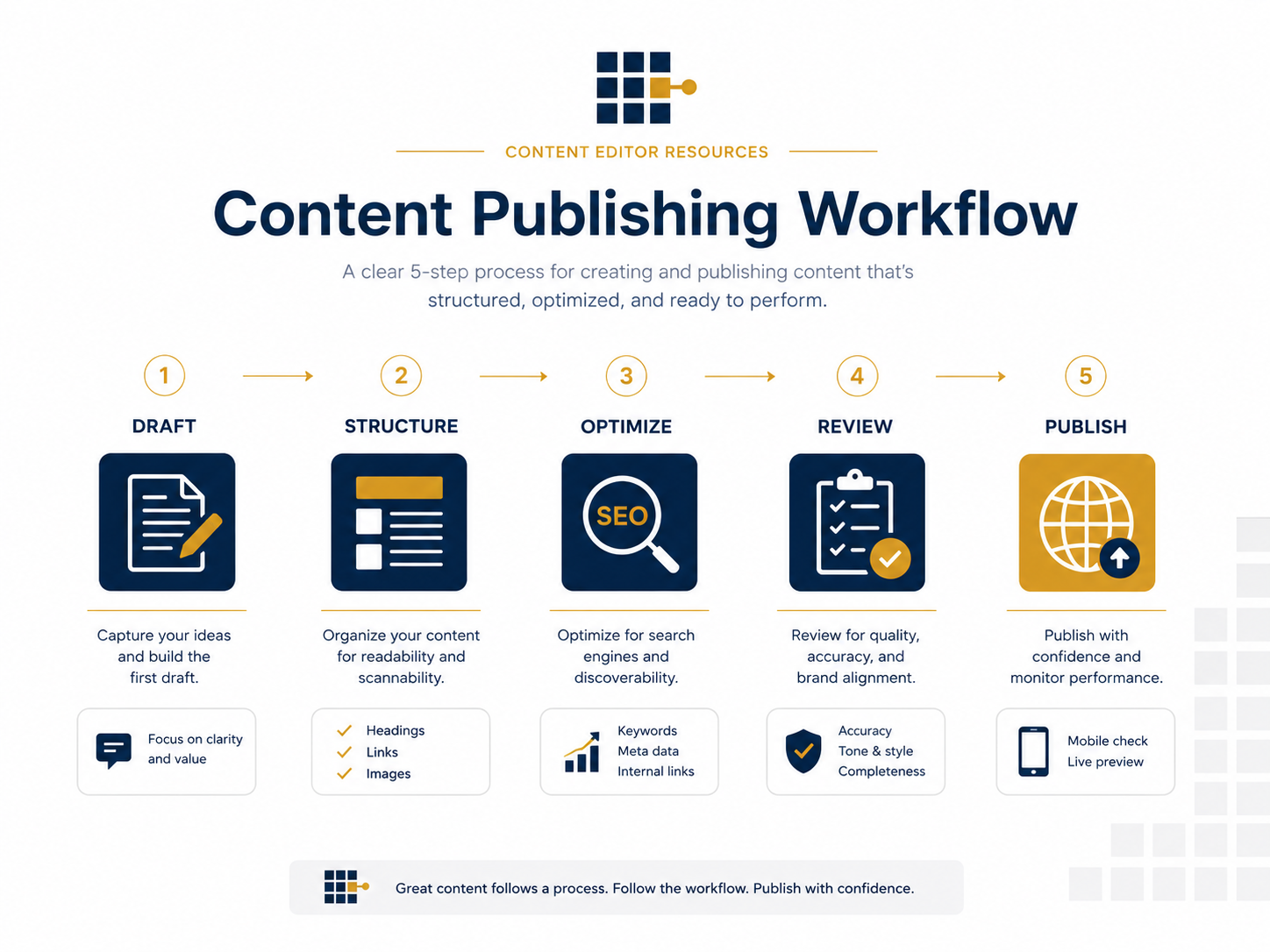
1. Confirm the content has a clear job
- The reader can tell what the content is about within the first few seconds.
- The content answers a real question, supports a business goal, or helps a visitor take the next step.
- The page is not duplicating another page that already serves the same purpose.
- The introduction sets expectations without rambling.
2. Review the title, slug, and excerpt
- The title is clear enough to understand in search results, social previews, and internal links.
- The URL slug is short, readable, and not stuffed with unnecessary words.
- The excerpt or summary accurately describes the content.
- The title does not overpromise what the page actually delivers.
3. Check headings and page structure
- There is only one main H1 on the page.
- Section headings describe the content that follows.
- Heading levels are used in order instead of jumping around for styling.
- Approved patterns are used when adding repeatable sections.
- Synced content, templates, navigation, and global styles are changed only when intended.
- Long sections are broken into smaller, scannable parts.
4. Improve readability
- Sentences are clear and direct.
- Paragraphs are short enough to scan on mobile.
- Important ideas are not buried in long blocks of text.
- Jargon is removed, explained, or linked to a helpful resource.
- The page sounds like it was written for the reader, not for the organization.
5. Review images and media
- Images are relevant and support the content.
- File names are descriptive before upload when possible.
- Images are not unnecessarily large.
- Alt text is included when the image communicates meaning.
- Decorative images are not given keyword-stuffed alt text.
- Captions or credits are included when needed.
6. Check accessibility basics
- Link text says where the link goes. Avoid vague links like “click here.”
- Headings create a useful outline of the page.
- Images that need alt text have meaningful alt text.
- Videos or audio have captions, transcripts, or an appropriate alternative when needed.
- Tables are used for data, not layout.
- Buttons and links make sense out of context.
7. Add useful internal links
- Link to related service pages, resource pages, glossary terms, or supporting blog posts.
- Use descriptive anchor text that explains what the reader will get.
- Do not add links only because a keyword appears.
- Make sure important next steps are visible before the reader reaches a dead end.
8. Review SEO basics
- The page matches a clear search intent or reader need.
- The title and headings use natural language a reader would recognize.
- The meta title and meta description are accurate if an SEO plugin is available.
- The content answers the topic thoroughly enough to be useful.
- Images, links, and supporting sections reinforce the main topic.
9. Preview on desktop and mobile
- Preview the page before publishing.
- Check the layout on a narrow/mobile screen.
- Make sure headings, buttons, images, tables, and embeds do not break the page.
- Confirm the most important action is still obvious on mobile.
- Scan the page visually before doing a final proofreading pass.
10. Complete the human review
- AI-assisted drafts, summaries, or rewrites have been checked by a person.
- Facts, names, dates, links, and claims are accurate.
- The page sounds natural and specific to the organization.
- The content is useful enough to stand without generic filler.
- A final proofread is complete.
Final pre-publish checklist
- The page has a clear purpose.
- The title, slug, and excerpt are accurate.
- The structure is easy to scan.
- Images and media are optimized and accessible.
- Internal links support the reader’s next step.
- SEO basics are covered without keyword stuffing.
- The page has been previewed on desktop and mobile.
- A final proofread is complete.