
Recommended WordPress Plugins
Plugin Evaluation Checklist
A practical checklist for deciding whether a WordPress plugin belongs on a professional or enterprise-level website.
Plugin readiness
Need. Ownership. Data. Fit.
Check the reason, owner, data risk, and long-term fit before the plugin becomes part of the stack.
1. Purpose and the better alternative
A plugin should answer a real need, belong to someone, and leave the site understandable after the original decision-maker is gone.
| Choice | Best fit |
|---|---|
| WordPress core | Blocks, patterns, template parts, global styles, roles, or built-in features already solve the need cleanly. |
| Plugin | The plugin solves a clear need, is actively maintained, stores data responsibly, and fits the site’s long-term direction. |
| Small custom feature | The need is specific, durable, and cleaner as focused code than as a broad commercial plugin. |
| External service | A specialized platform should own the function, such as email, search, CRM, payments, automation, or analytics. |
| Remove or reject | The plugin is unused, redundant, abandoned, risky, slow, opaque, or creates unnecessary lock-in. |
2. Purpose questions
- What specific problem does this solve?
- Is the problem important enough to justify another dependency?
- Could core blocks, patterns, theme settings, roles, custom fields, or a small custom plugin solve it more cleanly?
- Does the plugin duplicate functionality already handled by hosting, integrations, custom code, or another plugin?
- Will editors and site owners understand how to use it correctly?
- Does it support the site’s content model, editing workflow, and long-term business goals?
3. Maintenance and ownership
- Is the plugin actively maintained?
- Has it been updated recently enough for the current WordPress version?
- Does the developer or company appear stable?
- Is there clear documentation?
- Who on the team owns the plugin after installation?
- Is there a process for reviewing it during future audits?
4. Security history
- Has the plugin had recent security issues?
- If vulnerabilities were reported, were they patched quickly?
- Does the plugin require broad permissions or sensitive access?
- Does it handle user data, payments, forms, uploads, or authentication?
- Would a failure expose private data or disrupt important business activity?
5. Performance impact
- Does the plugin load assets on every page or only where needed?
- Does it add scripts, styles, tracking, embeds, or frontend features?
- Does it create slow admin screens or database queries?
- Can its output be cached safely?
- Has it been tested on staging before being used on production?
6. Data, APIs, and lock-in risk
- Where does the plugin store its data?
- Can the data be exported, migrated, or queried in a usable format?
- Does it expose clean data through WordPress APIs or documented integration points?
- Will content remain readable if the plugin is deactivated?
- Does it rely on proprietary shortcodes, opaque custom blocks, or builder-only layouts?
- Can approved automation or AI-assisted tools understand what the plugin controls without unsafe access?
- How difficult would it be to replace the plugin later?
7. Editor and Site Editor compatibility
- Does the plugin work cleanly with the block editor and the site’s theme approach?
- Does it respect templates, patterns, reusable blocks, and global design settings?
- Does it create admin screens or editing workflows that are understandable to the team?
- Does it conflict with caching, multilingual tools, ecommerce, forms, search, or security plugins?
- Does it behave predictably across staging and production?
- Can its output be maintained without copying fragile layouts from page to page?
8. Support and documentation
- Is there useful documentation for setup and troubleshooting?
- Is support available through a reliable channel?
- Are known limitations explained clearly?
- Are changelogs readable and specific?
- Can a future developer understand why the plugin was chosen?
9. Business model and licensing
- Is the pricing sustainable for the site owner?
- What happens if the license is not renewed?
- Are critical features locked behind a higher plan?
- Does the vendor have a clear refund, renewal, and support policy?
- Who owns the license: the client, agency, developer, or organization?
10. Accessibility and editor experience
- Does the plugin output accessible markup?
- Are forms, buttons, modals, tabs, sliders, or interactive features keyboard-friendly?
- Does it make content easier or harder for editors to maintain?
- Does it encourage proper headings, alt text, labels, and semantic structure?
- Can editors use it without breaking design or accessibility standards?
Decision rule
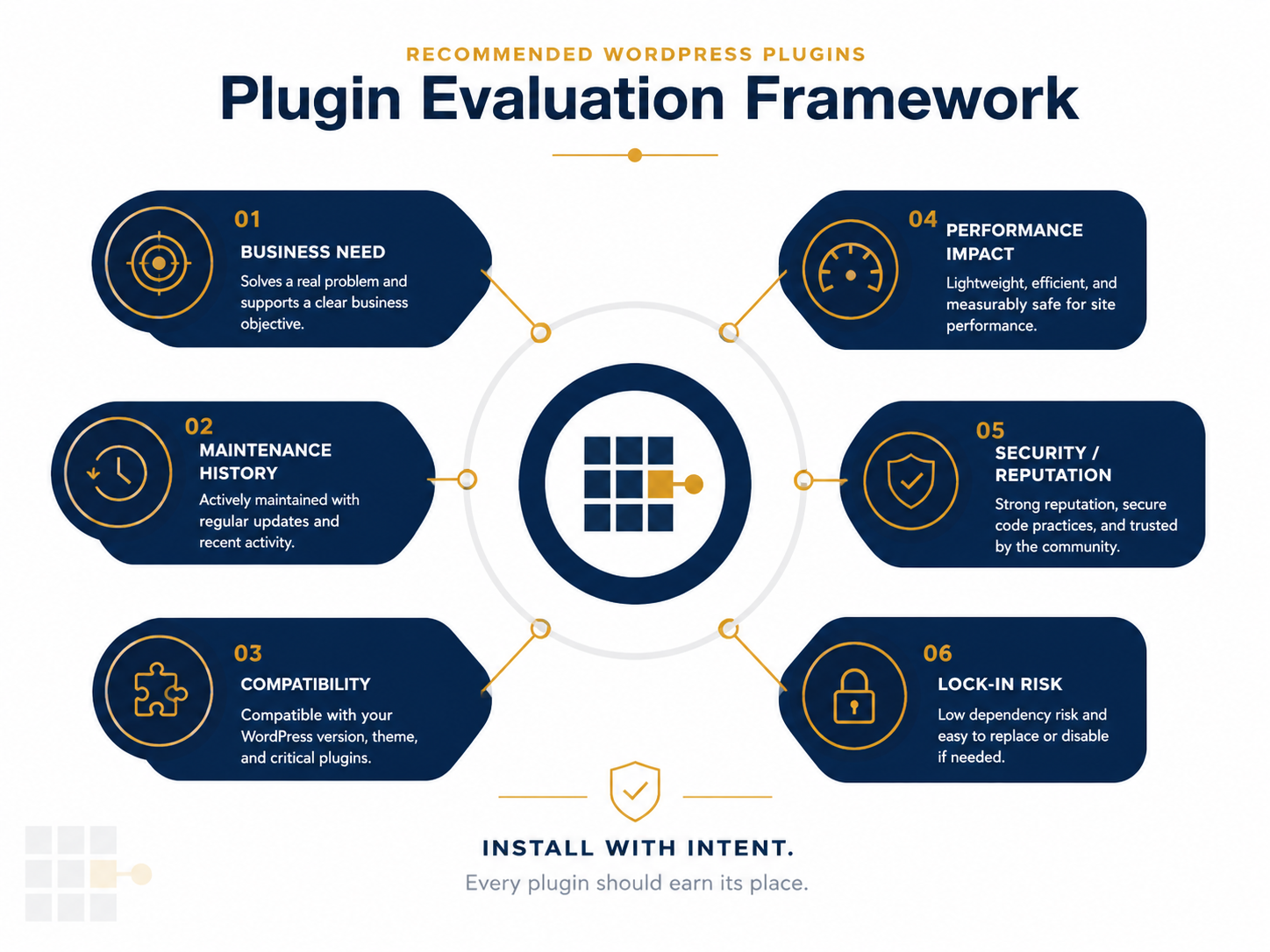
| Score | Meaning | Recommended action |
|---|---|---|
| Strong fit | Clear need, low risk, active maintenance, good support, and acceptable performance. | Install or keep. |
| Conditional fit | Useful, but requires testing, documentation, or a mitigation plan. | Test on staging before approval. |
| Weak fit | Some value, but too much overlap, risk, bloat, or lock-in. | Look for alternatives. |
| Reject | Abandoned, insecure, unnecessary, or harmful to maintainability. | Do not install or remove during audit. |
Plugin audit notes template
- Plugin name: What plugin is being reviewed?
- Purpose: What business or technical need does it serve?
- Owner: Who is responsible for it?
- Risk level: Low, medium, or high?
- Decision: Keep, replace, remove, or test further?
- Next review date: When should this plugin be checked again?
Bottom line
Approve the plugin only when the site owner can explain why it exists, what it controls, how it stores data, who maintains it, and what would replace it later.